How to use this tour
Three short steps and you have the whole thing. You can open this again at any time with the ? button beside the photo.
-
What you are looking at
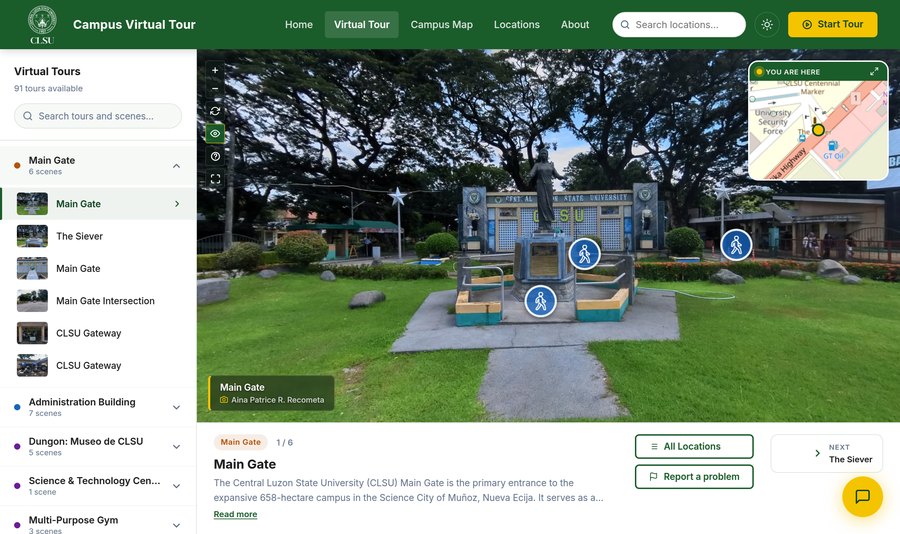
The big photo is the exact spot you are standing on. The list down the left is every place you can visit — click a name to go there.
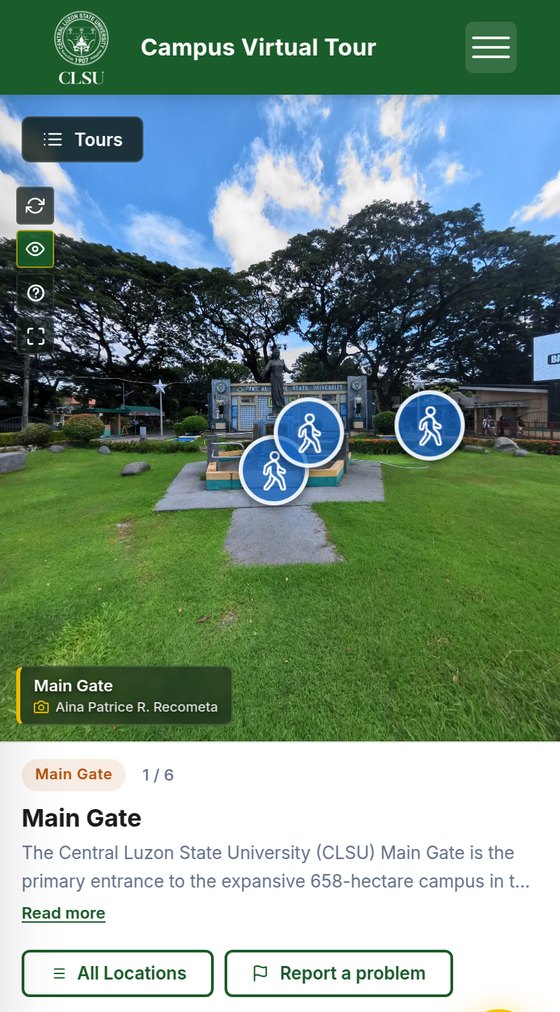
The big photo is the exact spot you are standing on. Tap Tours at the top to see every place you can visit.
-
Look around, then walk
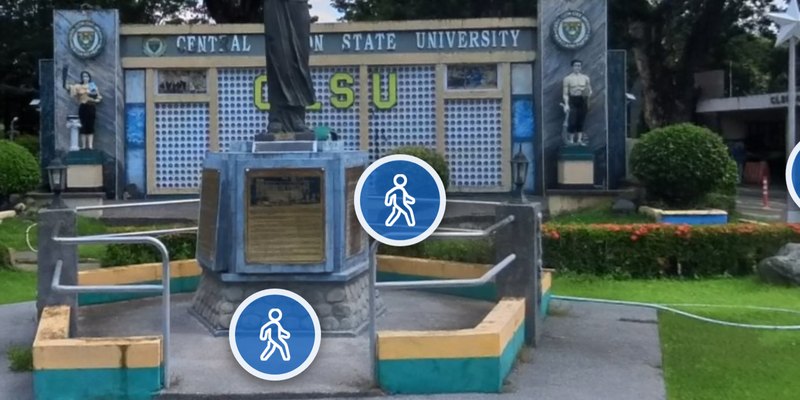
Blue circles like these are the way forward. Hold the mouse button down on the photo and move it — the view turns with you, all the way round. Roll the scroll wheel to come closer or move back.
Slide a finger across the photo and the view turns with you, all the way round. Pinch with two fingers to come closer or move back.
ClickTap a blue walking figure and you move to that spot, the way you would walk there. A blue circle with a map pin in it takes you somewhere else on campus instead.
-
The buttons beside the photo
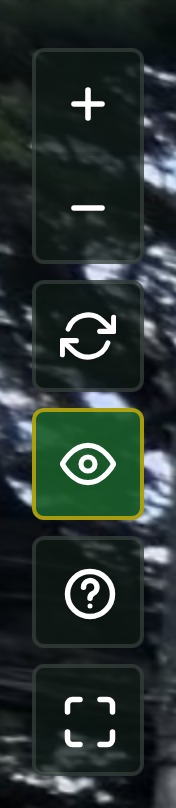
- Come closer, or move back The same as rolling your scroll wheel.
- Let it turn on its own The view spins slowly by itself so you can just watch. It starts switched off.
- Hide the blue circles Takes them off the photo for a clean view. Press it again to bring them back.
- These instructions Opens this page again whenever you want it.
- Fill the whole screen Everything else gets out of the way. Press the Esc key to come back. Everything else gets out of the way. Press the button again to come back.
University Library Interior
The University Library provides library resources, reference materials, and research collections exclusively for students, faculty, and researchers, complete with reading areas, book stacks, and quiet study spaces. Located within the university campus grounds, it offers the academic community convenient access to literature, digital archives, and academic research support.
Report a problem
Thank you — your report has been sent to the campus tour team.